HR Screening Software for Small Businesses: What to Look for in 2026
Most HR screening tools were built for enterprise teams. The 4 checks that actually matter for a small business in 2026, so you stop overpaying for software that was never designed for you.
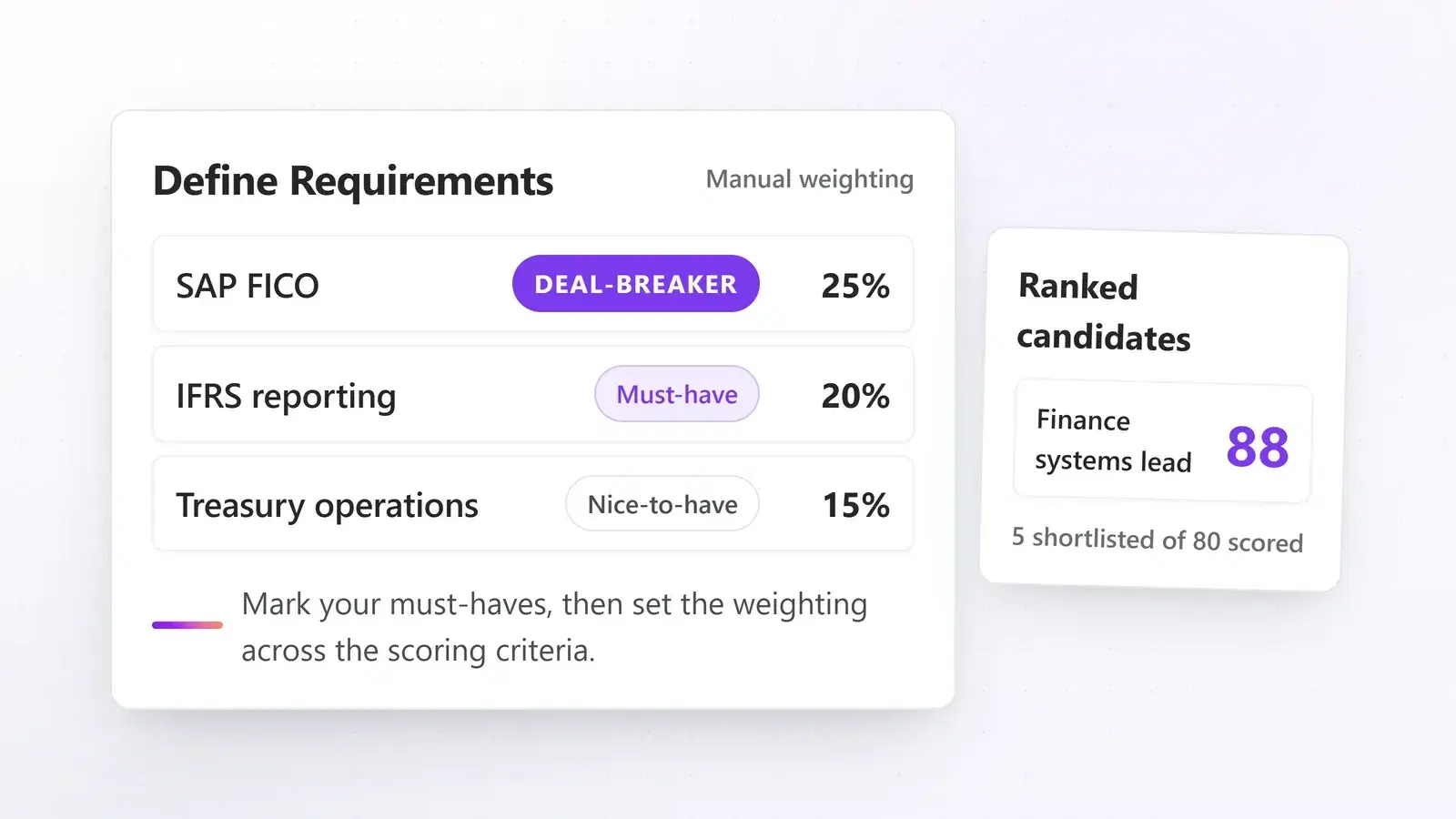
If you run HR for a small business, you already know the feeling. A role opens up, applications start coming in, and suddenly you are staring at 80 CVs you do not have time to read properly. The hiring process slows down. Good candidates do not hear back fast enough. And you are still trying to get three other things done by end of day.
The right HR screening software fixes that without turning your hiring process into a complicated tech project. But most tools on the market were not built with you in mind. They were built for enterprise talent acquisition teams with dedicated IT support and a six-figure software budget. This guide breaks down what to actually look for before you commit to one.
Why most HR screening software was not built for small businesses
Enterprise tools priced you out before you even logged in
Most HR screening tools are built and priced for large talent acquisition teams, not a two or three-person HR function. Enterprise platforms typically charge for features you will never use, require long implementation timelines, and bundle in seats and job slots far beyond your actual hiring volume. Paying for 20 active roles when you are managing four at a time is not a deal. It is a waste.
The pressure is real and measured: in ADP's November 2025 Market Pulse survey, small business owners named business growth (26%), labor costs (24%), and talent sourcing (23%) as their top three concerns. Tools that add friction to an already-stretched process make the third problem worse, not better.
What "built for small teams" actually means in practice
A tool built for small businesses should feel simple on day one. You should not need an IT team, a dedicated onboarding manager, or three weeks of setup calls. You upload a job description, set your criteria, and start reviewing scored candidates. That is the bar.
If a vendor asks you to book multiple calls before you can even try the product, it was designed for someone else. The best tools let you run a real role through the system the same day you sign up.
What should HR screening software actually do?
Automated CV scoring against your requirements
At its core, good screening software reads every incoming CV and scores it against the requirements you set for a role. It produces a ranked shortlist, so you open a manageable list of relevant candidates instead of a pile of unfiltered applications.
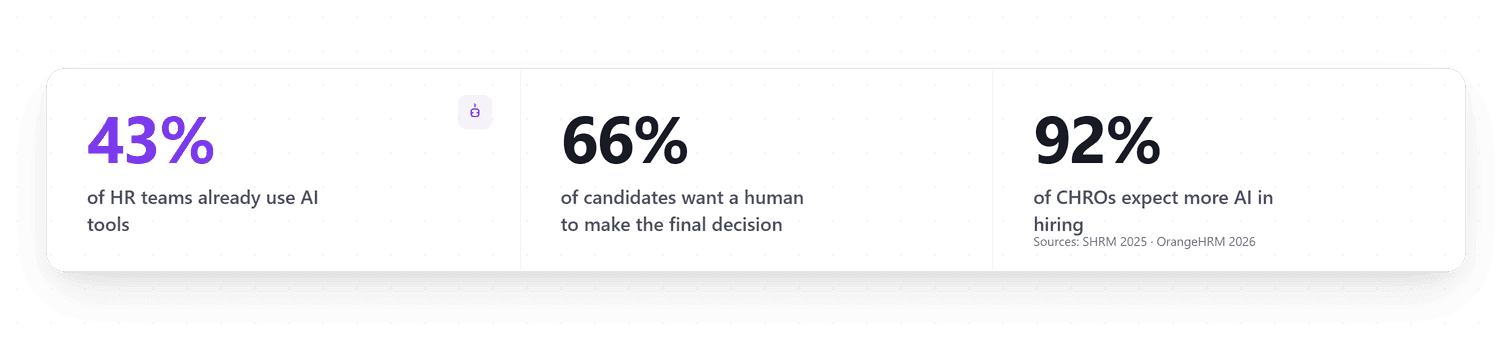
This is now mainstream practice, not an experiment: SHRM's 2025 Talent Trends research found 44% of organizations already using AI to screen resumes, and 89% of HR professionals using AI in recruiting say it saves them time. The freed hours go where software cannot follow: interviews, references, and the final decision. When you are managing several roles at once, a scored shortlist waiting for you instead of a raw inbox changes the shape of your week.

How do I know if the AI is making good calls?
This is the question most buyers forget to ask, and the most important one.
Transparent scoring is non-negotiable. If the software gives you a ranked list but cannot explain why anyone ranked where they did, you have a visibility problem. You cannot trust a shortlist you do not understand, and when a hiring manager pushes back on a filtered-out candidate, you need a real answer.
The best screening tools show exactly which requirements each candidate met, which they missed, and where something deserves a closer look, with the supporting evidence quoted from the CV itself. The AI does the sorting. You do the hiring, with the reasoning in front of you.
The 4 things to check before committing to a tool
1. Setup speed: same day, not same month
A small-business screening tool should be usable within a day of signing up. Upload a job description, set your requirements, start reviewing candidates. Anything longer is a strong signal the product was not built for lean teams.
Watch out for vendors who require an "onboarding call" before you can access the dashboard. That is not customer support. That is a red flag.
2. Works with your setup, ATS or no ATS
If you already use an applicant tracking system, check how candidates will get from it into the screening tool and back, and test that path during the trial rather than trusting an integrations logo wall. Manual copy-paste between platforms defeats the purpose of automation and creates gaps where candidates fall through.
If you do not have an ATS, that is completely fine. Many small HR teams across the US and Europe are still building their hiring process from scratch. The right tool works independently: you should be able to bring candidates in from wherever they arrive (files, email, your application form) and manage the full pipeline inside the screening platform until you are ready for more infrastructure.
3. Pricing that matches your real hiring volume
Before committing, check what the entry-level plan actually includes:
- How many active job slots?
- How many team members can log in?
- Do usage limits reflect a team managing 3 to 5 roles, not thirty?
- Are there hidden fees for exporting data or adding a second user?
- Can you see what an AI action will cost before you run it?
A simple rule of thumb: if the pricing page does not make sense within two minutes, the product probably was not designed for your situation.
4. AI that recommends, a human who decides
Candidates are broadly comfortable with software doing the sorting. They are far less comfortable with software deciding their fate: Pew Research Center found that 66% of Americans would not even want to apply to an employer that uses AI to help make hiring decisions.
So check how a tool structures the decision itself. The pattern that works: AI produces scores and rankings as advice, the recruiter applies shortlist and reject decisions with the evidence in view, and each status keeps a record of who applied it, so you can reconstruct any decision later. If a candidate, a hiring manager, or a regulator asks "why," you want a log, not a shrug.
How Talentino fits into this
Talentino is built around exactly this model. Here is what it does when you run a role through it:
- Multi-source intake: bring candidates in by bulk upload from your device, through your own application form, or captured from LinkedIn with Talentino Scout, our Chrome extension.
- Requirements from your job description: paste the JD and Talentino identifies the skills, experience, and qualifications to screen for. You adjust them, and mark your must-haves (deal-breakers), before anything runs.
- Transparent scoring: each requirement is graded per candidate, and every score comes with the evidence quoted from the resume, so you can defend any ranking without reopening the file.
- Beyond the resume, on the record: Capture a candidate from LinkedIn with Talentino Scout and their profile URL is saved on their record, alongside the resume. From there, the details you and your team add are kept with their history.
- Plain-language search: search your candidate pool the way you would ask a colleague ("senior developer with banking experience") and get relevant results from every role you have run.
Scores and rankings are advisory: shortlist and reject decisions are applied from the review screen with the cited evidence in view, and each status keeps a record of who applied it.
The bottom line
The best HR screening software for a small business is not the most powerful tool on the market. It is the one that fits your actual hiring volume, works with your existing setup, explains its reasoning clearly, and structures decisions so a human makes them with evidence in view.
In 2026, those tools exist and they are genuinely good. The key is knowing what to look for before you commit. Start free, no credit card required.